v1.15.0 - Pre-Game Checklists, Icon Library, and Localization
Pre-Game Checklists
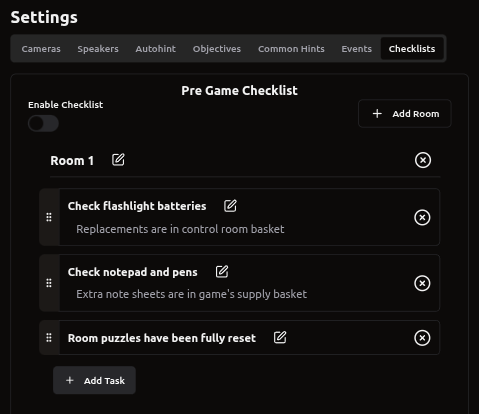
Do you want to make sure the room is fully ready for customers before they walk in and find that something hasn’t been reset properly or materials are missing?
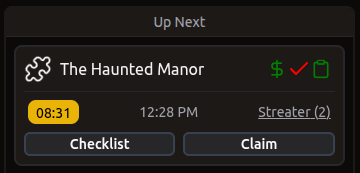
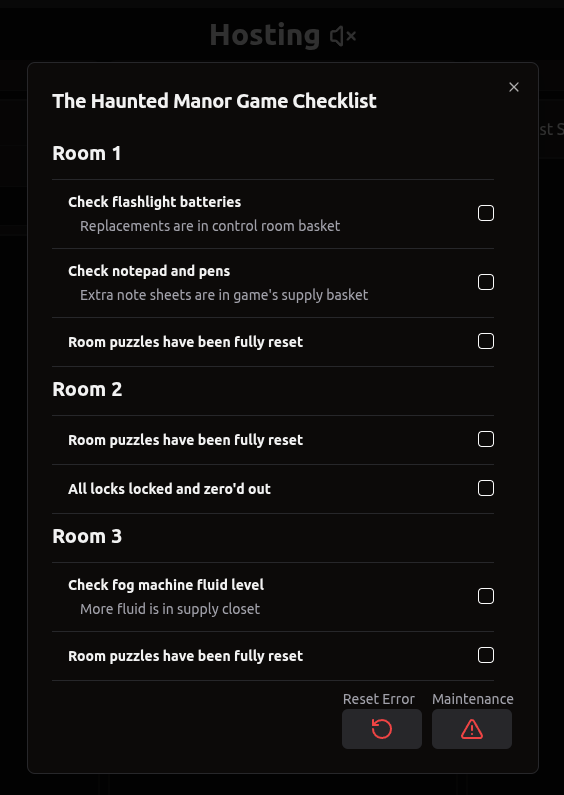
Add a pre-game checklist! This will provide employees a list of items to check before a game is ready to be claimed and run. Once enabled, this will show up on the hosting page:
Icon Library
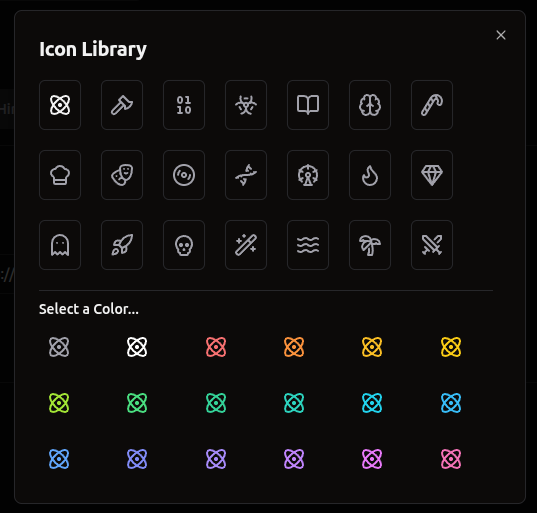
For more personalization, aside from uploading your own image, we have added a pre-selected icon library to choose from!
Just go to Settings → Select a game → Click on the icon at the top next to the game’s name →Icon Library
You can select an icon and a color for it to use throughout Drawbridge!
Localization
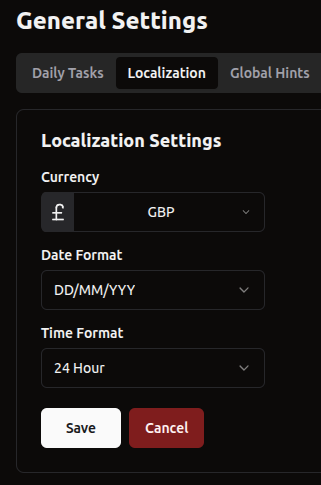
We now support localization! If you want to use an alternate currency, date format, or time format, head on over to settings!
More Rebooking Codes
To support more common rebooking code formats, we now support:
NAMErebook%
Employee name, rebook, followed by anything
XX-NAME
Two numbers, a symbol, and employee name
rebookNAME% or replayNAME%
rebook/replay, employee name, followed by anything
rebook-NAME% or replay-NAME%
rebook/replay, a symbol, employee name, followed by anything
Other
We now offer ClockShark support for our Timekeeping integration
Automatically save end summary if game is reset without manual submission
Fix daily task user metrics showing maintenance issues