v1.16.1 - Resets, Daily Task Organization, Improved Debrief Stats
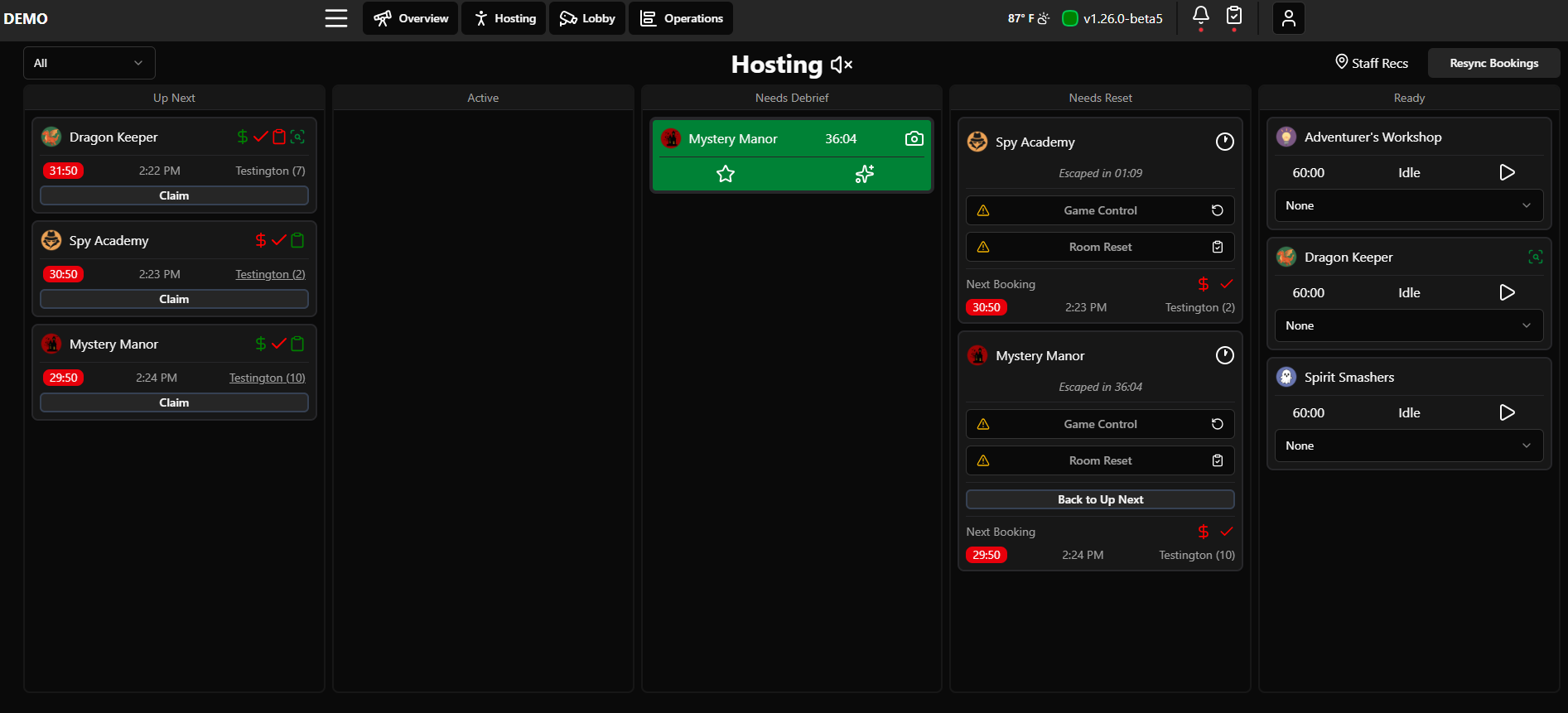
Updates to timed resets, daily task organization, and more information during debriefs.
Timed Resets
Since every venue seems to do resets a little differently, we’ve broken out resets into 2 pieces, Game Control and Room Reset. Game control refers to the cycle or state change in a game controller like M3 or COGS. Room reset refers to the physical game and props in your venue.
By splitting these into 2 categories, anyone can time a reset through Drawbridge. There’s no need to press a button in the room to start the timer and the game can be cycled at any point without affecting the timed reset.
Here is how resets work now:
Use the clock icon to start and stop your reset timer. You can pause the time by tapping the clock again. This clock shows up on the overview, game mastering, and hosting screens.
In the reset process, whenever you need to reset the game controller, you do that by clicking the box that says Game Control. Once the controller resets and is ready for the next game, it turns green.
When the physical reset is complete, click Room Reset. The entire game is now ready for the next game and the card disappears from Needs Reset once both items are completed. This will stop the timer since the game is fully reset.
Here’s a video if you’d like to share this information with staff quickly.
Daily Tasks
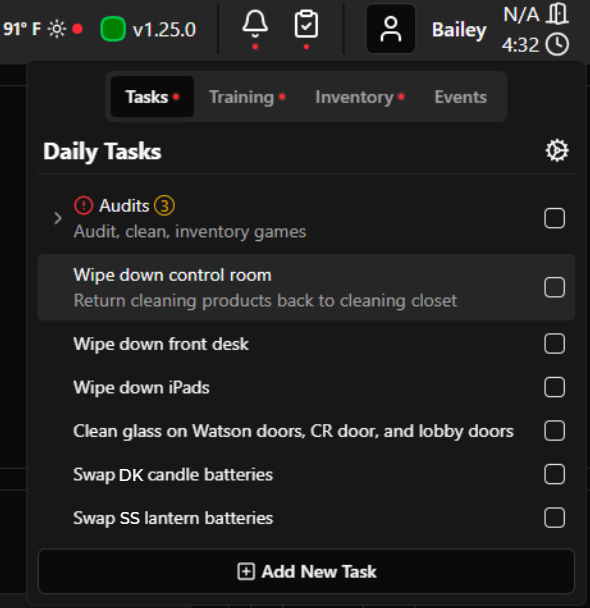
Daily Tasks now appear in the clipboard menu and are checked off there. There is no longer a tab on the sidebar menu for Daily Tasks.
Daily Tasks can now be nested and reorganized! They can also be assigned to multiple days and have descriptions. All configuration of tasks now occurs in General Settings. More info on configuring tasks can be found here.
Debriefing
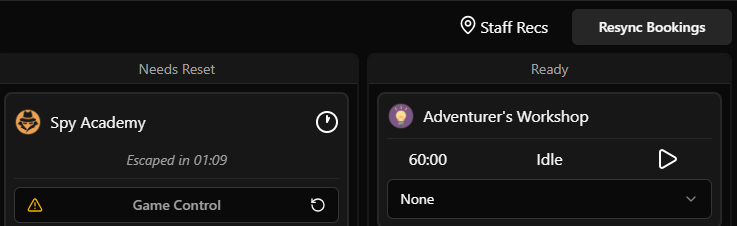
Staff recommendations link - adds a pin to hosting page with a qr code
QR code will link to whatever is placed under Employee Recommendations in Employee Settings
Our staff created a list of nearby restaurants and activities on Google Maps that we linked here for any groups looking for local suggestions. Here’s what it looks like.
Game Highlights
In the needs debrief column, clicking on the star below a groups escape time gives session stats from their game:
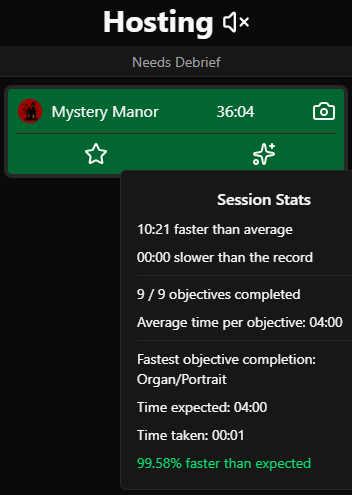
These highlights can add to conversations post game. For this group, we could mention they were only 13 minutes off the record for this game and they were 3 minutes faster than the average group.
Other icons may appear:
A birthday cake if the group is celebrating - a reminder to say ‘happy birthday’ again as they leave or take a photo
A star if they set an escape time record for the last 30 days - an opportunity to congratulate them
Management
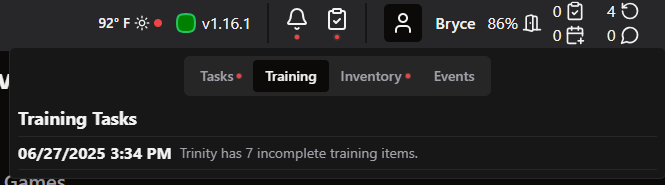
If employees scheduled today have open training tasks, they’ll appear in the clipboard menu under training. Upon login, each employee will also be alerted to open training tasks.
You can now attach screenshots to red shield reports to further explain whatever issue is occurring.
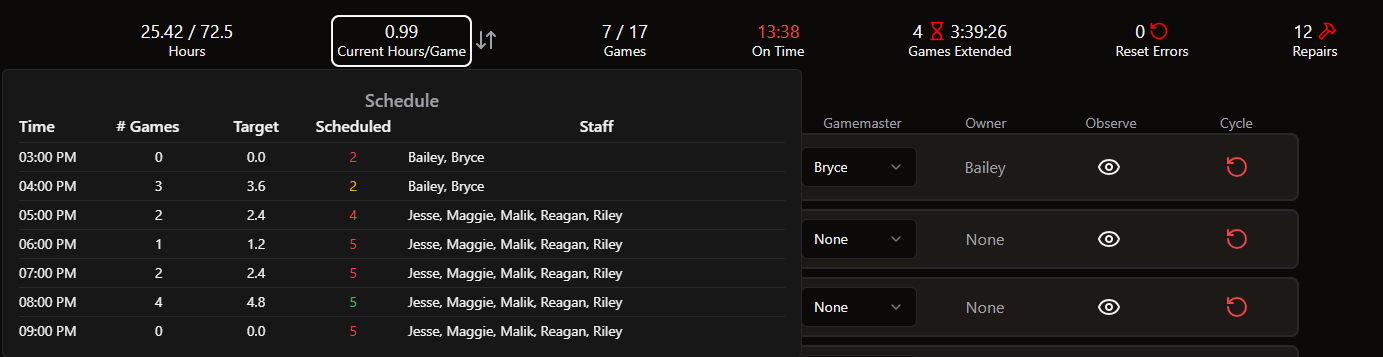
Current hours per game highlights staffing as green if within range, yellow if under, and red if over target hours. Target staffing hours per game are set under incentives in employee settings (we use 1.2).
Settings
Auto logout after inactivity
In settings, navigate to employee settings and then to auto logout. If you check the box, you can select a number of minutes before employees will be signed out of Drawbridge. This may help employees from accidentally switching iPads and logging actions under the wrong name.
Schedule helper graphs in configurable currency
Event bookings graph will take the event price threshold from settings
New Integrations
COGS: Full Game Control Integration
Realtime sync of COGS shows, scenes, text hints, audio hints.
Track hint usage, objective completion times, utilize full Drawbridge booking lifecycle management with COGS games.
Embedded gamemastering COGS window alongside cameras and Drawbridge displays.
Buzzshot:
Drawbridge will autofill game master name, success or failure, and escape time after a game completes
Sync waivers and upcoming games
Shiftie: Full Timekeeping Integration
Digitickets: Full Bookings Integration
Miscellaneous Fixes
Fix lobby camera preview 404 error
Ensure reordering cameras does not impact detection mappings
Weather measurements use correct localization units (mm/inch)
Overview games metrics use correct localization units (dollars/euros/gbp)
Overview games metrics showing incorrect times in certain timezones
Game statistics scrollbar height not showing last row of data
Many small UI tweaks to support more device sizes, colors showing correctly, component spacing
Add When I Work location filtering
Ignore Mythric hint counter to ensure translated hint usages are counted properly in Drawbridge
No more duplicate test user appearing in login menu
Fixed an issue with cameras pausing on iPads when auto-unmute is enabled