v1.24.0 - Lobby Seating Zones, One-Off Daily Tasks, and Internal Updates
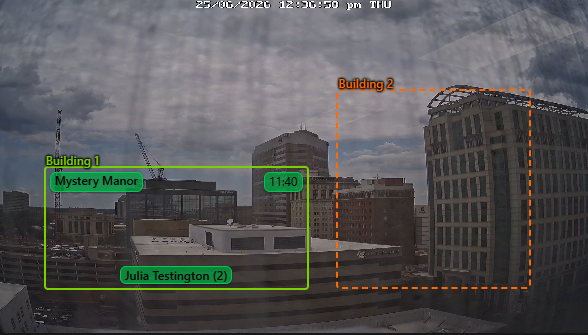
Track booking seating directly on the Lobby page, add single one-off tasks to the daily task checklist, and internal backend package updates.
Lobby Seating Zones
With lobby seating zones, you can now assign bookings to a seating zone on your lobby cameras. Never forget where players are seated and you can greet them by name as you host them back!
Settings
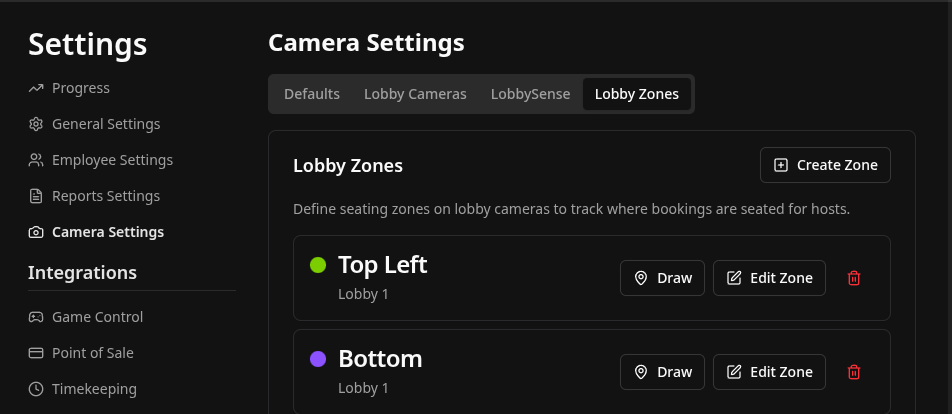
Lobby Page - Assign Seating
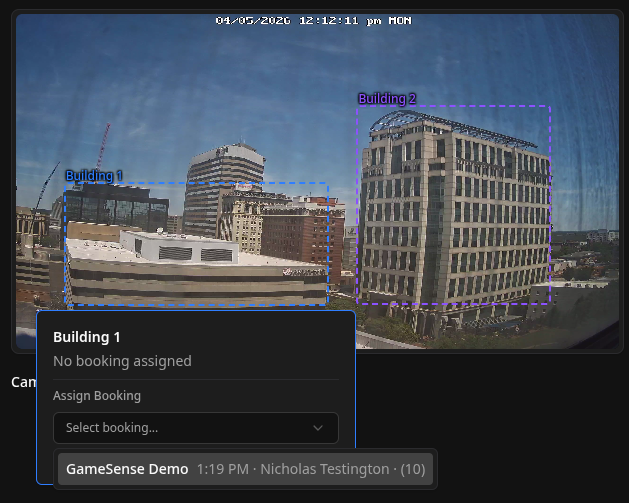
Once a booking has been checked in, it will appear in the dropdown to be assigned to a seating zone.
Once selected, the booking information will appear within the zone for reference. Clicking on the zone again will let you remove it. Once a game has started for a booking, the zone will be cleared automatically.
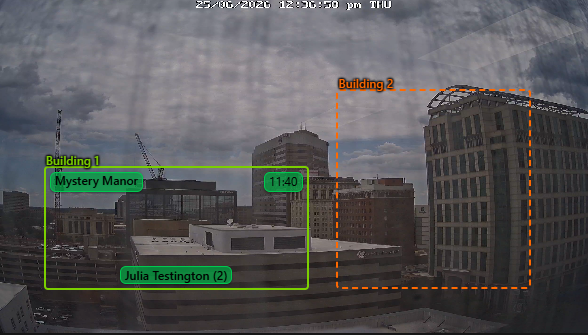
Hosting Page Zones Display
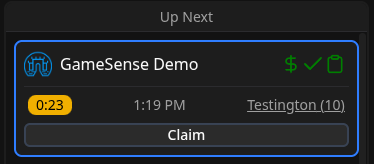
When a booking has been assigned to a seating zone, it will outline the booking on the hosting page with the color of the zone they have been assigned to. This gives hosts a quick reference of which zone players are in (e.g. “Green zone”) without needing to check the lobby page directly.
One-Off Daily Tasks
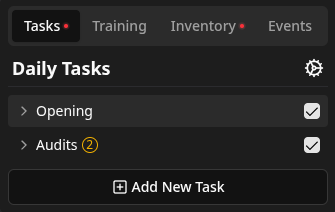
One-off daily tasks are non-recurring tasks that may pop up within a day. For example, if you have a shipment of t-shirts that came in, a one-off task may be created to unbox the shirts and put them on the merch shelf by size.
One-off daily tasks can be created by pressing the “Add New Task” button. You can then select the start date and expiration date you would like.

Bug Fixes & Internal Updates
Internal package updates
Several internal packages have been upgraded to newer versions for improved features, stability, and developer experience.
This may not be directly exposed to the end-user, but it required some rewriting and migration on our end to make the experience of maintaining and improving Drawbridge smoother on our end for the future!
DigiTickets
Merge tickets assigned to the same game and time.
Filter out cancelled payments.
Clear deleted bookings from existing transactions.
Timekeeping:
Fix Homebase data syncing window to ensure it always fits within the Homebase API limits
Playbooks:
Add MQTT conditions and actions to control generic external MQTT devices.
Use countdown video settings volume when playing videos.
Improve audio player to optimize playback with long audio files (>1hr).
Don’t show Drawbridge error toasts on countdown pages.
Prevent special characters in GameSense detection names.
Fix changing inventory item type error.
Ensure devices trigger counter on GM page is reset properly.
Gamemaster leaderboard showing duplicate game names in some cases.
Ensure objective task descriptions are loaded and reloaded properly on Mythric sync.